
Turn IT customer feedback into insights
your service desk can act on
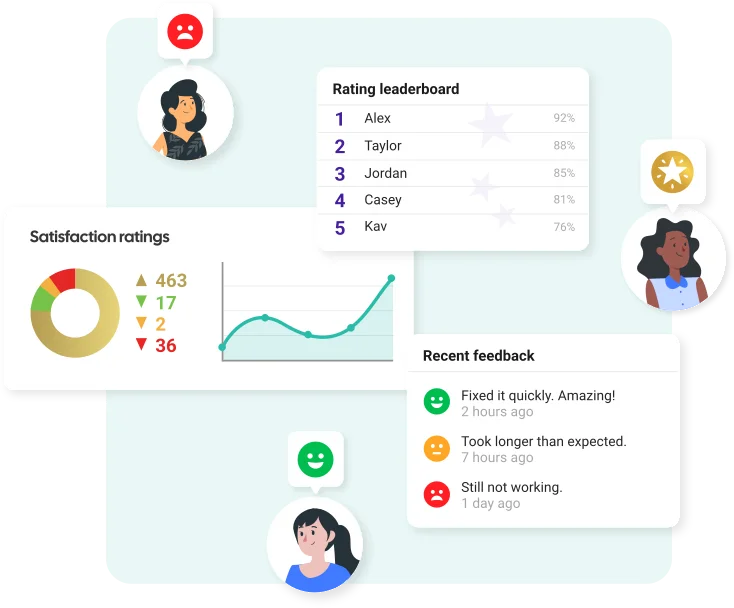


Customer Thermometer is an IT customer satisfaction platform that enables help desks and service desks to collect, understand and act on user feedback.
Capture one-click feedback at ticket closure, in email signatures and across the wider service experience. Real-time alerts, feedback drivers and the reporting dashboard help you understand what’s driving satisfaction, spot issues early and give your team the insights to take action.
Get set up for free in seconds – No credit card or development required
One-click feedback · Real-time alerts · Feedback Drivers · Actionable reporting
Trusted by over 10,000 teams with their customer feedback
View customer success storiesBuilt for IT teams that want to do something with their feedback
“Customer Thermometer enables us to take the pulse of our customer’s satisfaction, so we can ensure they are satisfied. Given that our growth comes more from existing clients than advertising and promotion, its product is absolutely fundamental to our operations and future.”


IT customer satisfaction surveys built around the service experience
IT customer satisfaction surveys help service desks understand how users feel about the support and service they receive. But useful feedback doesn’t have to be limited to a long survey sent after a ticket closes.
Customer Thermometer lets you collect feedback at the moments that make sense for your organization, from ticket resolution and everyday email conversations to regular customer or employee check-ins.
The result is a clearer picture of the experience you’re providing and the context your team needs to improve it.
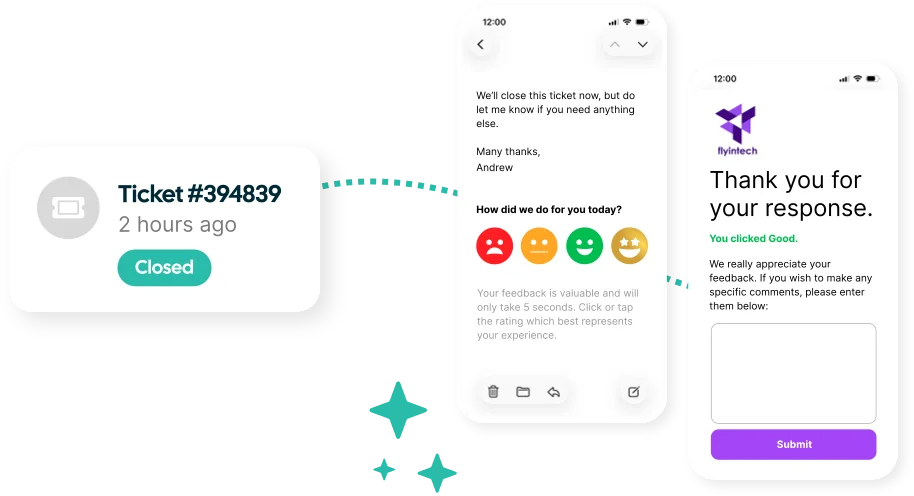
Make giving feedback effortless
Your users are busy and asking them to stop what they’re doing and complete a long questionnaire can create unnecessary friction.
Customer Thermometer makes providing feedback as simple as clicking an icon.
Embed one-click surveys directly into ticket closure emails, email signatures and other customer touchpoints, giving users a quick and convenient way to tell you how their experience was.
Responses are recorded from the first click, with the option to collect additional comments and context afterwards. It's the antidote to long surveys; customers love using it.
Spot unhappy users and act quickly
When someone has a poor experience, your team shouldn’t have to wait for a monthly report to find out.
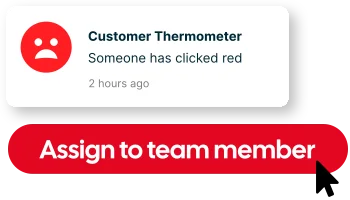
Customer Thermometer can alert your team to feedback in real time, helping you identify issues while they’re still relevant.
Send feedback into tools such as Microsoft Teams and Slack, notify the right people and use closed-loop feedback tools to follow up with users and track what happens next.

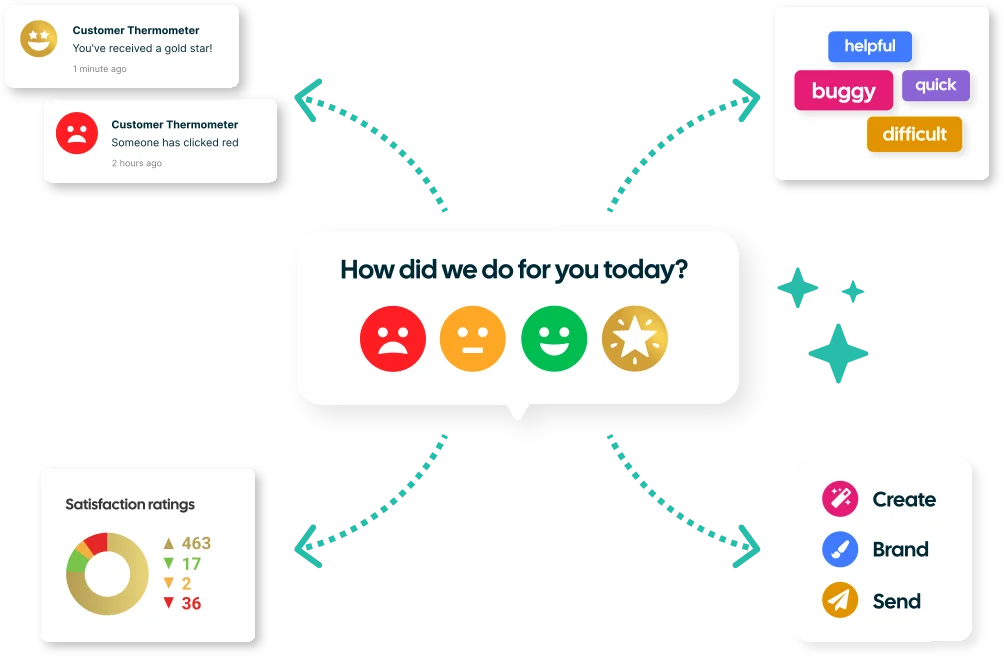
See the bigger picture with IT customer satisfaction reporting
Turn individual responses into a clearer view of service performance. Customer Thermometer’s dashboards and reporting help you monitor customer satisfaction, identify trends and understand how feedback changes over time.
Track metrics including CSAT and NPS, view comments and feedback drivers, compare performance across teams and use scheduled reports to keep the right people informed.
Your feedback data can also be exported or connected with other systems, giving you flexibility over how you analyze and use it.
Connect feedback with the tools your IT team already uses
Collect and act on feedback without adding another disconnected process to your service desk.
See All Integrations
Salesforce
Trigger thermometers during your workflows

ServiceNow
Insert survey buttons into incident and request notifications

Zendesk
Embed thermometers inside support emails

Freshdesk
Embed feedback buttons into support threads

Autotask
Trigger Thermometers in your service workflow

ConnectWise
Write ratings and comments back to service tickets

Jira
Get feedback on your requests and technicians

Ivanti
Place surveys inside service management emails

BMC Helix
Collect feedback from ticket notifications

Atera
Embed feedback buttons into ticket closure emails

NetHelpDesk
Add feedback buttons to your NetHelpDesk tickets

Outlook
Embed feedback buttons inside email signatures

Exclaimer
Email signature survey feedback using Exclaimer
Connect feedback to your other tools
Webhooks are included in every Customer Thermometer plan, so you can automatically trigger actions in other applications when something happens in your account, such as a new feedback response.
Flexible enough to fit your service desk

Make surveys feel like part of your brandCustomize survey icons, colors, questions and landing pages to create a feedback experience that fits your organization.

Collect feedback at the right momentsUse ticket closure surveys, email signature surveys and regular check-ins rather than relying on a single point in the customer journey.
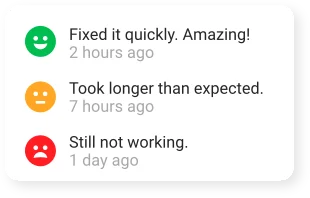
Give your team useful contextCombine scores, comments and feedback drivers to understand what happened and what needs attention.
Keep the right people informedUse real-time alerts, dashboards and scheduled reports to make feedback visible to the teams that can act on it.

Support when you need itGetting started shouldn’t mean figuring everything out on your own.
Our support team, affectionately known as the Ministry of Magic, can help you get set up, connect your existing tools and make the most of the feedback you’re collecting.
Get a clearer picture of your IT service experience
Start collecting one-click feedback, understand what’s driving customer sentiment and give your team the insight they need to take action.
Your first 10 responses are free. No credit card required.
Get an account and 10 surveys completely free.
-
 $
No Credit Card Required
Once you’ve tested us out, upgrade and receive a monthly credit allowance. -


Fully Functional Account
Start sending surveys which get results in the next 10 minutes. -

Be Prepared For Your Response Rate
Take action on all your feedback – you might be surprised just how much you will get.
Frequently asked questions
What is an IT customer satisfaction survey? +
An IT customer satisfaction survey helps service desks understand how users feel about the support and service they receive. Customer Thermometer lets IT teams collect feedback after support tickets are closed, through employee email signatures and with regular check-ins.
How can IT teams collect user feedback? +
IT teams can collect feedback at different points in the service experience, including after support tickets are resolved, during everyday email conversations and through regular satisfaction check-ins. Using multiple touchpoints gives a broader view of the experience you’re providing.
Can I collect CSAT feedback when a support ticket closes? +
Yes. Customer Thermometer can add one-click feedback icons to ticket closure emails, allowing users to rate their experience directly from the email. Responses can include information such as the user, technician and ticket number.
Does Customer Thermometer integrate with my help desk or ITSM tool? +
Absolutely! Customer Thermometer integrates with help desk and service management platforms including ServiceNow, Zendesk, Freshdesk, ConnectWise and many others. Depending on the integration, feedback and comments can also be connected with ticket and user information. View our integrations here.
How can IT teams act on user feedback? +
IT teams can use real-time alerts to identify users who need attention, follow up on negative experiences, recognize positive service interactions and use reporting to identify patterns in satisfaction over time.
Can I survey users who don’t submit support tickets? +
You can indeed. Customer Thermometer can collect feedback through employee email signatures and regular check-ins, helping IT teams understand the experience of stakeholders and decision-makers who may not regularly interact with the service desk.
What is the difference between an IT CSAT survey and a ticket closure survey? +
A ticket closure survey measures a user’s experience with a particular support interaction. Broader IT CSAT surveys can be used to understand how users feel about the overall service, including stakeholders who don’t regularly submit support tickets.
What customer satisfaction metrics should an IT service desk track? +
IT service desks should track a mix of satisfaction metrics, including CSAT, NPS, sentiment and feedback trends over time. It’s also useful to look at what’s driving positive and negative feedback, how satisfaction varies across teams and technicians, and whether issues are being followed up and resolved.