
Send our one click survey using your PSA
The PSA survey designed for your environment.

This is an Email Thermometer. Ask 1 question with up to 4 possible responses. Upload your contact data and send a Blast or trigger sending via our API.
This is an Embedded Thermometer. Connect your feedback buttons to your favorite helpdesk / CRM application. Use your 3rd party to manage contact data and send.
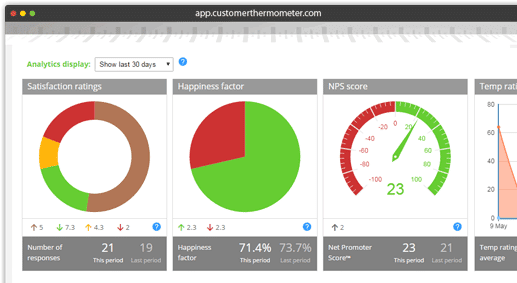
This is your reporting dashboard.
Industry leading response rates.
Identifiable feedback.
Verbatim comments, NPS and trend reporting.
The 1-click email feedback tool
that works beautifully with your PSA
If you use Professional Service Automation (PSA) software, you’ll be very aware of how tough it is to get customer feedback from the emails you send and the cases you solve.
Many PSA solutions do not offer a built in survey method. And where they do, many of those surveys are not always perfect for MSPs and other professional services companies to generate feedback.
But at the same time, you need customer feedback to constantly improve your service and stick to SLAs. That’s where Customer Thermometer comes in.
See how we get better, faster and more actionable customer feedback.
Send yourself a Thermometer survey right now.
Never lose another customer. Know what your customers are really feeling. Get amazing response rates. Fix customer issues in real time. Your very own private feedback network.

Option 1: Embed feedback buttons in emails you already send
Decide what question to ask
Choose icons, rating stars or smileys
Edit your comment capture page to match your brand
In a simple cut-and-paste job, embed into emails you send from your PSA software
Get feedback from your users without bothering them with a separate email

Option 2: we can send out a 1-click survey for you
Simply create your survey within your CT account
Choose ratings, icons, smileys – to match your brand
Upload the list of people you want to send to, or trigger via our API
Send it out from our site (just like MailChimp) and see responses in real time

Option 3: Add our feedback buttons to your email signature
Create your Outlook or Gmail signature survey using our simple service
Choose your 1-click icons
Customize a simple comment capture page
Add the survey into your email footer
The simplest way to get feedback about the emails your team sends
4,000+
Professionals trust us with their CSAT measurement
And all these leading Professional Services, MSPs and IT support companies have swapped to Customer Thermometer for their PSA survey.






1-click feedback that will help you keep your contracts
Every company makes mistakes. Fixing them is what matters to your clients. (and fixing them is what will stop clients from looking for another supplier)
With our 1-click PSA survey – you can get feedback in real time about your service.
So you can instantly follow up with that client and put it right again – before things go too far.
If the ‘20 question’ survey isn’t getting you the feedback you need, give Customer Thermometer a try.
You’ll never lose another customer.
Hear from more of your clients
Most clients actually want to give you feedback throughout the lifetime of your contract with them.
But long surveys take too long out of their day and often just aren’t appropriate for a service environment.
Instead, ask the question that really matters. “How are we doing for you?”
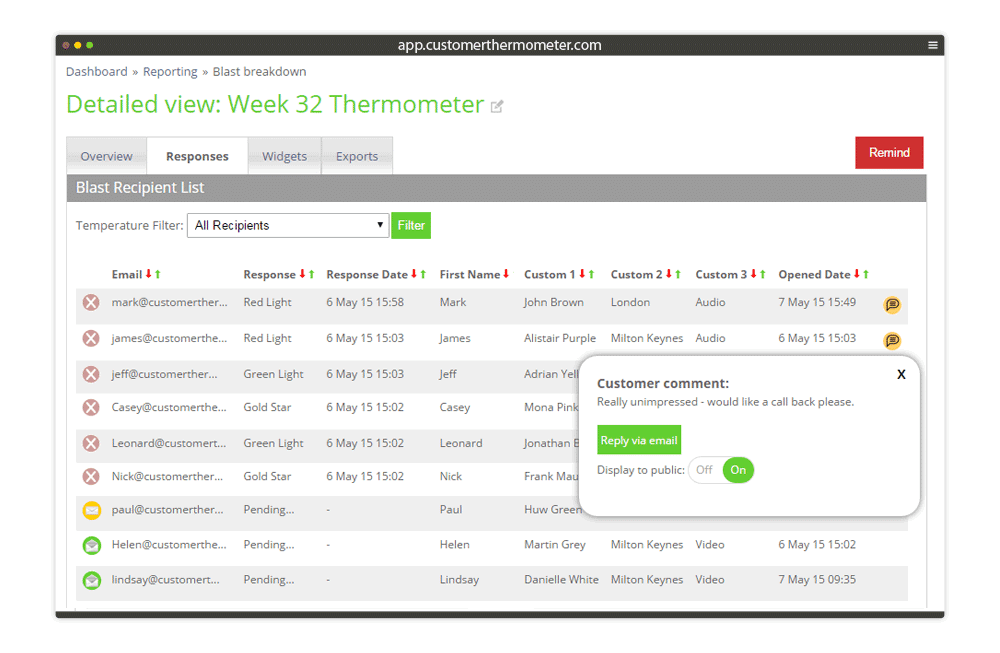
When your customer has clicked, they can leave a comment too.
It takes a customer seconds to answer. And you can be alerted to negative feedback in real time via email or mobile alert.